
Creating a countdown clock for a baseball tournament can add a lot of excitement and anticipation to the event. As a countdown clock supplier, I've had the chance to work with various sports events, and I'm here to share some tips on how you can create an effective countdown clock for your baseball tournament.


Why a Countdown Clock?
First off, let's talk about why you even need a countdown clock for a baseball tournament. A countdown clock isn't just a cool visual – it serves a few important purposes. For starters, it builds hype. Fans get more engaged when they can see exactly how much time is left until the big game. It also helps organizers keep everything on schedule. You can use it to mark important milestones, like the start of the tournament, breaks between games, and even when the championship game is set to begin.
Choosing the Right Type of Countdown Clock
There are different types of countdown clocks out there, and the one you choose depends on your specific needs.
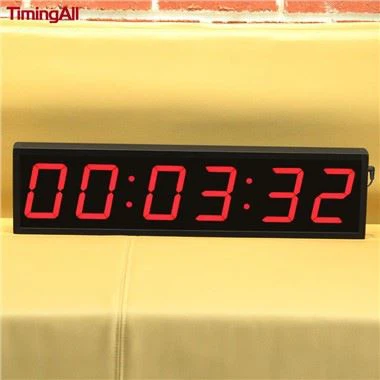
- LED Digital Clocks: These are great because they're bright and easy to read from a distance. The Green LED Digital Clock is a popular option. It has a clear display that can show days, hours, minutes, and seconds. It's also durable, which is important for a sports environment where there might be a lot of activity.
- Event-Specific Timers: If you're looking for something more specialized, the 1000 Days Events Led Countdown Timer is a fantastic choice. This timer can be set for long-term events, which is perfect if you're planning a multi-day baseball tournament. It can handle a countdown of up to 1000 days, so you can start building anticipation well in advance.
- Marathon Timers: For a tournament that might have a long duration or multiple games back-to-back, the Marathon Timer Clock is ideal. It can keep track of time accurately over extended periods, and it's designed to be reliable even under continuous use.
Setting Up Your Countdown Clock
Once you've chosen the right clock, it's time to set it up. Here's a step-by-step guide:
Step 1: Determine the Countdown End Time
Figure out exactly when the event starts or when you want the countdown to end. This could be the start of the opening game, the championship match, or any other significant moment in the tournament. Make sure you have the correct date and time, including the time zone.
Step 2: Install the Clock
Find a good location for the clock where it can be easily seen by the audience, players, and officials. It should be at a height and angle that provides a clear view. If it's an outdoor tournament, make sure the clock is weatherproof. Most of the clocks we supply are designed to withstand different weather conditions, but it's still a good idea to double-check.
Step 3: Program the Clock
Follow the instructions that come with the clock to set the countdown time. This usually involves entering the end date and time. Some clocks might have additional features, like the ability to display custom messages or logos. You can use these features to make the clock more personalized for your tournament.
Step 4: Test the Clock
Before the big day, test the clock to make sure it's working correctly. Check that the countdown is accurate and that the display is clear. You might also want to test any additional features, like the message display.
Maintaining Your Countdown Clock
To ensure your countdown clock works smoothly throughout the tournament, you need to do some basic maintenance.
- Regular Checks: Check the clock daily to make sure it's still counting down correctly. Look for any signs of damage or malfunction, like a dim display or incorrect time.
- Battery or Power Supply: If your clock runs on batteries, make sure to have extra batteries on hand. If it's plugged in, check the power cord regularly to ensure it's secure.
- Cleaning: Keep the clock clean to maintain a clear display. Use a soft, dry cloth to wipe away any dust or dirt.
Adding a Personal Touch
You can make your countdown clock even more engaging by adding a personal touch. For example, you can display the names of the participating teams, the tournament logo, or even photos of the players. This not only makes the clock more visually appealing but also helps to create a sense of community and excitement around the event.
Conclusion
Creating a countdown clock for a baseball tournament is a great way to enhance the overall experience for everyone involved. By choosing the right clock, setting it up correctly, and maintaining it properly, you can ensure that your tournament has a professional and exciting feel. If you're interested in purchasing a countdown clock for your next baseball tournament or any other event, don't hesitate to get in touch. We're here to help you find the perfect clock for your needs and answer any questions you might have.
References
- General knowledge from working in the countdown clock supply industry.
- Product information from our inventory of countdown clocks.